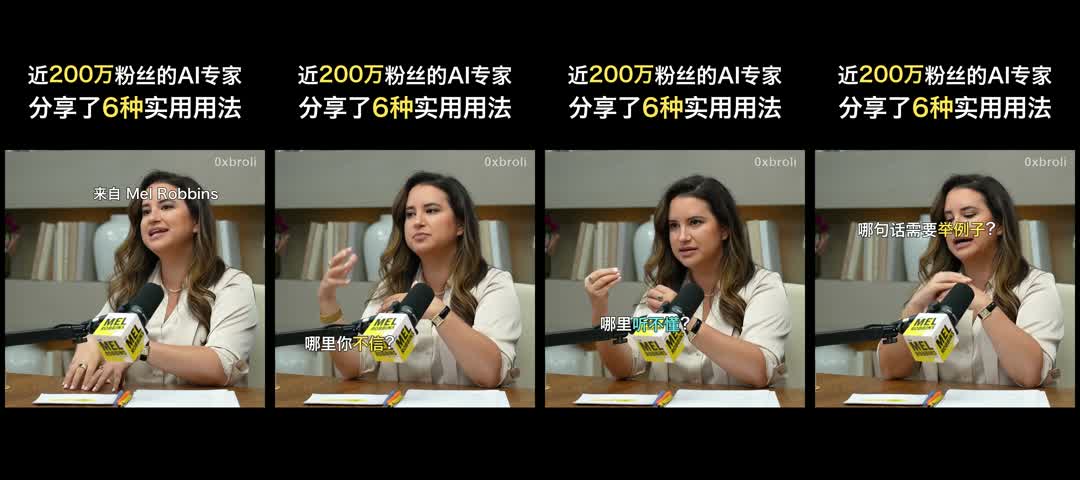
From a YouTube Interview to a Vertical Video: My Codex Workflow
I used Codex and local tools to turn one chapter of a long interview into an 84-second vertical video with Chinese narration. I chose the section, edited the script, and reviewed the presentation. Codex handled the production scripts, voice generation, subtitle alignment, and video rendering.
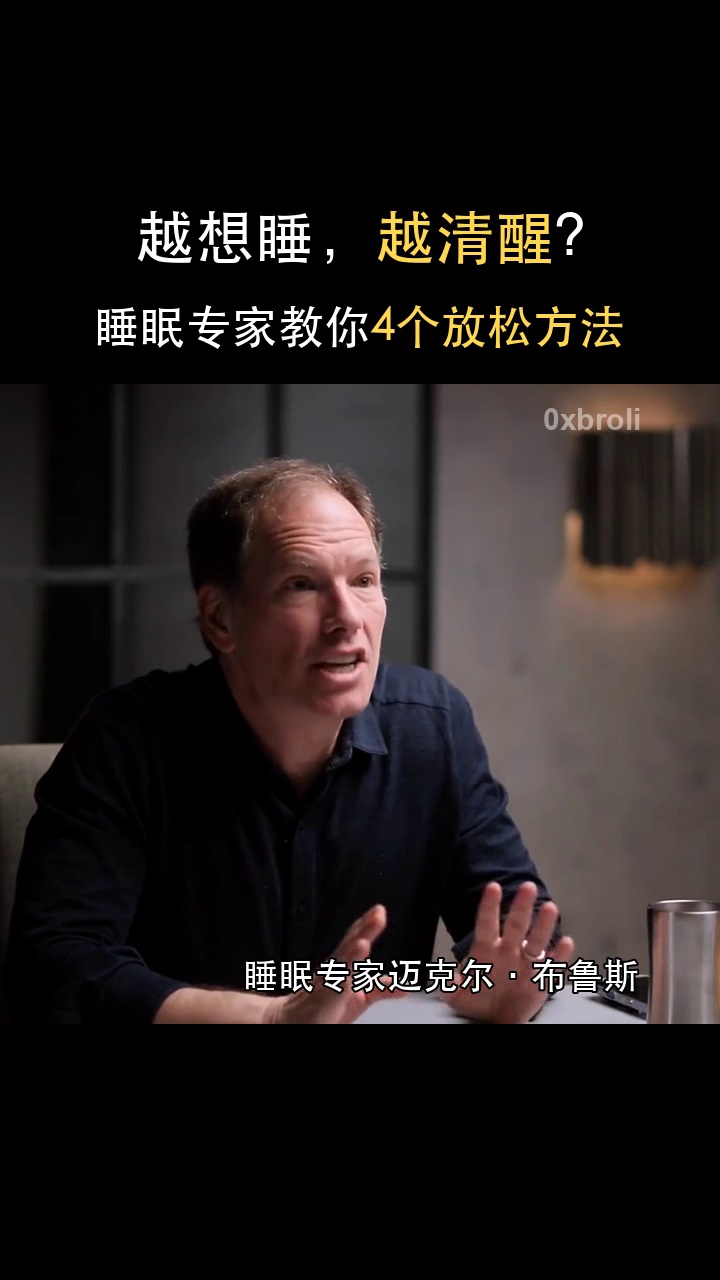
The source was Michael Breus's appearance on The Diary Of A CEO. I limited the script to the relaxation section from 39:34 to 57:20. The finished video covered four methods from that section, using selected interview footage underneath a fixed title.
The work happened in several passes: a short preview, a complete version, a layout correction, and a final speed adjustment. Here is the production process and the settings that produced the finished file.
1. Set the scope before writing the narration
I started with the interview's chapter list and chose a single section. That gave the script a clear boundary: explain the four relaxation methods and the speaker's closing guidance, without expanding into the interview's other subjects.
The first draft needed editing for spoken delivery. I removed abstract phrasing, unnecessary introductions, and repeated explanations. I also kept a distinction between the guest's personal experience, his explanation of a method, and short clarifications added during editing.
The current manuscript lived in narration_script.txt. Its first line was the approved title, excluded from voice generation. A separate notes file tracked the source section and editorial changes.
The original length target was two to five minutes. After my cuts, the body contained about 523 Chinese characters, excluding punctuation. I kept that edited text. The generated narration measured 101.31 seconds before acceleration; the duration came from the audio rather than a word-count estimate.
2. Establish the layout in a short preview
Before producing the full video, I made a roughly 26-second preview using the opening and the first method. This let me review the voice, title, crop, and subtitles together.
The visual style was deliberately simple: a black canvas, a two-line title with yellow highlights, interview footage in the middle, and empty space at the bottom.
| Region | Size on the 720 × 1280 canvas | Use |
|---|---|---|
| Top 30% | 720 × 384 pixels | Fixed title |
| Middle 50% | 720 × 640 pixels | Interview footage, watermark, and subtitles |
| Bottom 20% | 720 × 256 pixels | Black space |
The title's top margin needed several adjustments. For the final full version, I specified 210 pixels between the canvas top and the visible top edge of the first title line. The two title lines began at y=210 and y=304, keeping both within the 384-pixel title region.
I saved that rule in the project's AGENTS.md, including the requirement to measure the visible text boundary. A general instruction such as “leave one line of space” had left too much room for interpretation.
3. Generate narration in complete sentences
The narration used VoxCPM2 locally on a Mac, with MPS acceleration. The model files were already installed, and generation ran offline.
| Setting | Value used |
|---|---|
| Model | VoxCPM2 |
| Device and precision | MPS, float32 |
| Inference steps | 10 |
| Random seed | 42 |
| Compilation and automatic retries | Disabled |
| Voice reference | Seconds 25–37 of my existing voice recording |
| Delivery audio | AAC/M4A, 48 kHz, 256 kbps |
For this video, I wanted a calm, neutral delivery. A line equivalent to “Am I doing this right? What should I be feeling?” sounded wrong when treated as an emotional performance. The revised instruction asked for a level, factual voice, including those questions.
The synthesis input used declarative sentence endings for the questions. The manuscript retained its wording and question marks, and the audio manifest recorded both the original text and the synthesis input.
The full narration was generated as 27 complete sentences. I did not split sentences at commas to match the subtitles. Each sentence needed a continuous vocal performance, while the screen needed much shorter pieces of text.
The script trimmed excessive silence at sentence edges, retained a small amount of breathing room, and joined the sentences with short gaps. It then applied two-pass loudness normalization, targeting −16 LUFS and a −1.5 dBTP true peak. Individual WAV files remained available as working caches.
4. Select footage with enough room for cropping
I downloaded several 30-second windows from the chosen chapter, then selected eight non-overlapping source ranges for the full video. All came from the 39:34–57:20 section and therefore also satisfied the project rule to avoid the source video's first 30 seconds.
The footage supported the interview context; it did not need to show the exact moment corresponding to each sentence of the Chinese narration. This allowed me to choose clear individual shots and avoid awkward crops.
Contact sheets made the selection practical. I checked frames near the beginning, middle, and end of candidate ranges, rejecting portions with unsuitable camera changes or large source graphics.
The 1920 × 1080 footage was cropped to 1215 × 1080, then scaled to 720 × 640. Those rectangles have the same aspect ratio, so the person was not stretched.
Crop position mattered as much as crop size. In the opening close-up, the guest's face sat too close to the right edge. Moving the source crop's left coordinate from 100 to 300 pixels shifted the face left within the finished frame and gave it more room.
Each shot record retained its source filename, source start and end, output start and end, and crop rectangle. The original interview audio was muted.
5. Align short subtitles to the actual voice
After generating the narration, I divided the text into 62 subtitle phrases. Each subtitle occupied one line; the longest contained 13 characters, including spaces.
A phrase plan stored one spoken sentence per line, with | separating its subtitle phrases. For example, a longer sentence could appear on screen as three successive phrases while remaining a single generated audio segment.
Timing came from the local FunASR fa-zh acoustic alignment model. It aligned the known sentence text to that sentence's WAV file. The script used the first and last token timestamps of each phrase to determine its interval on the complete audio timeline.
The checks covered text preservation, phrase length, timestamp order, and overlap. This avoided assigning subtitle durations simply in proportion to character count.
The subtitle styling stayed consistent:
- Right-aligned inside the footage window, with an 80-pixel right margin.
- White text with selected words highlighted in yellow,
#FFD84D. - A 36-pixel font with a black outline.
- A bottom edge about 30 pixels above the footage window's lower boundary.
The fixed 0xbroli watermark also sat 80 pixels from the footage's right edge, near its top, at roughly 45% opacity. Neither the watermark nor the subtitles entered the bottom black region.
The workflow saved both an ASS subtitle file and a JSON alignment record. The renderer drew the timed text into the video frames using the same cue plan.
6. Composite the full video
A Python renderer used Pillow to draw the title, watermark, and subtitle overlays. FFmpeg decoded the selected source ranges, cropped and resized the footage, and encoded the finished frames with the narration.
The initial full version was 720 × 1280 at 25 fps. The black background, title, and watermark stayed fixed; only the interview footage and the active subtitle changed over time.
Drawing text on a shared baseline prevented punctuation from sitting at inconsistent heights. Measuring the rendered text bounds also made the title's 210-pixel margin and the subtitle's 80-pixel right margin explicit.
I rendered to a temporary file before replacing full.mp4. The preview remained a separate preview.mp4, so producing the full video did not overwrite the earlier preview.
7. Apply 1.2x speed to every output timeline
After reviewing the complete version, I accelerated it to 1.2x. This changed the narration, footage, and subtitle timing together.
For the audio, FFmpeg's atempo=1.2 increased the tempo while preserving pitch. For the already encoded video, the speed script divided packet timestamps by 1.2 and copied the compressed video stream, avoiding another lossy video encode. The original 25 frames per second consequently played at 30 frames per second.
The same calculation applied to every output subtitle and shot boundary:
accelerated_time = original_output_time / 1.2
Source timestamps stayed unchanged: they still identified the same moments in the original interview. Original sentence WAV caches also kept their original timing, with that distinction recorded in the manifests.
The accelerated audio timeline was 84.425 seconds. The final MP4 container measured 84.44 seconds. The difference was small, but keeping the measured duration in the records prevented the audio timeline and the exported file from being treated as identical measurements.
8. Validate the file and keep the records current
The finished file went through a full decode check and a twelve-frame visual review. I also checked the layout bounds, subtitle coverage, audio levels, and source ranges.
| Check | Final result |
|---|---|
| Video | H.264, 720 × 1280, 30 fps |
| Duration | 84.44 seconds |
| Audio | AAC, 48 kHz, mono |
| Measured integrated loudness | Approximately −16.21 LUFS |
| Measured true peak | Approximately −1.47 dBTP |
| Title top margin | 210 pixels |
| Subtitles | 62 single-line cues |
| Complete decode | Passed |
| Visual review | Twelve frames checked |
Compression can leave tiny nonzero pixel values in an intended black area. The bottom-region check allowed a small tolerance rather than requiring every decoded pixel to be exactly zero.
One limitation remained: I did not complete a listening review during this tool run. Successful decoding, non-silent audio, and forced alignment do not establish that every word was pronounced correctly or that the delivery sounded natural. The validation record kept listening review marked as incomplete.
The project retained one current preview and one current full version. The full video's audio, subtitle files, script copy, shot records, and validation results were updated with it. Raw source material and useful generation caches remained available, while fixed output filenames made the current deliverable easy to identify.