Find Pinterest Automation Leads on Reddit with Codex and Cloudl
Someone asking how to schedule four months of Pinterest content has already described a problem you can investigate. Someone struggling to move Canva designs into a publishing queue has described another. Finding those conversations gives you a concrete starting point for customer research, product development, or a relevant service offer.
This article walks through a research task: find people on Reddit who recently expressed a need for Pinterest marketing automation, then return a compact list with full source links, usernames, and dates.
The example window is June 15 through September 15, 2026. The results are a dated research snapshot. They do not establish that a person is still looking, has a budget, or wants to hear from a vendor.
You can follow the process manually or give the research instructions to Codex. If your workflow also needs browser actions, the Cloudl setup guide covers installation and configuration in detail.
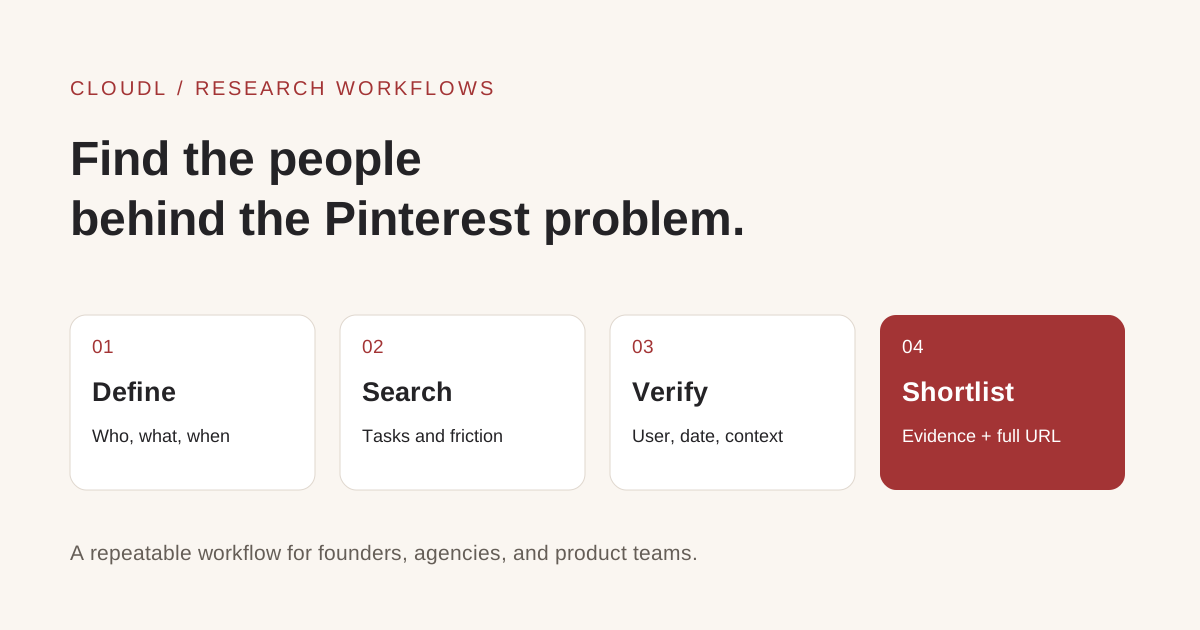
Start with a specific problem and finish with evidence someone else can inspect.
1. Define what a useful lead looks like
Before searching, describe the person and the task. For this example, a useful candidate is a creator, blogger, business owner, or marketer who uses Pinterest and wants to reduce recurring work.
Possible tasks include preparing Pins, organizing images, writing descriptions, assigning boards, scheduling content, and reviewing publishing results. A person may need help with only one of these steps.
Use a brief like this:
| Research field | Example |
|---|---|
| Audience | People managing Pinterest content for a brand, blog, or business |
| Problem | Repetitive content preparation, file handling, or publishing |
| Source | Reddit posts and comments |
| Date window | June 15–September 15, 2026, inclusive |
| Strong evidence | A direct request for a tool or a description of recurring friction |
| Output | Short title, full Reddit URL, user, date, and qualification notes |
Avoid making the keyword itself the qualification rule. A tool founder can mention “Pinterest automation” many times without needing to buy anything. Conversely, someone saying “downloading all these Canva files takes forever” may describe a relevant problem without using the word automation.
2. Search for the task and the frustration
Start with several narrow queries. The following examples use common web-search syntax; treat date filters as discovery aids and check dates on the underlying sources.
site:reddit.com "pinterest" "looking for" "scheduler" after:2026-06-14 before:2026-09-16
site:reddit.com "pinterest" "automate" "posting" after:2026-06-14 before:2026-09-16
site:reddit.com "pinterest" "Canva" "workflow" after:2026-06-14 before:2026-09-16
site:reddit.com "pinterest" "bulk" "schedule" after:2026-06-14 before:2026-09-16
The slightly wider lower search boundary helps avoid dropping June 15 results. Apply the actual inclusive window when reviewing candidates. When repeating the workflow later, replace the dates instead of reusing this historical window.
Search across both platform-specific and business communities. This example produced useful conversations in r/Pinterest, r/Pinterestmarketing, r/Entrepreneurs, and r/AppBusiness. A person discussing app distribution may ask about Pinterest publishing in a comment rather than create a dedicated post.
Expand with phrases such as “too time-consuming,” “manually,” “batch upload,” “switch scheduler,” and “how did you automate.” Run a separate query for each problem when broad searches start returning unrelated results.
3. Open the source and verify the person
For each candidate, inspect the original post and the relevant replies. Record the author of the actual request. The person asking for help in a comment may be different from the author sharing a success story.
Check five details:
- Date: Does the request fall inside the selected window?
- Task: What does the person want to accomplish?
- Friction: Which part currently costs time or causes uncertainty?
- Context: Have they already found or built a solution?
- Source: Can another reader open the exact post or comment?
Search results can surface an old post because it received a recent reply. That does not make the original request recent. If the qualifying evidence is a new comment, save its date and permalink explicitly.
Keep verification separate from demand strength. An accessible post can still be a weak lead. An interesting search snippet with an inaccessible original page should remain marked as unverified.
4. Separate explicit requests from general interest
Use three simple categories:
- Explicit request: The person asks for a tool, replacement, or automation help.
- Workflow pain: The person describes a recurring operational problem that your solution might address.
- General interest: The person is exploring Pinterest or asking whether the channel is worth using.
These categories help you decide what to investigate next. They are not purchase predictions. Add budget information only when the person actually mentions it, and avoid interpreting a general question as an invitation to pitch.
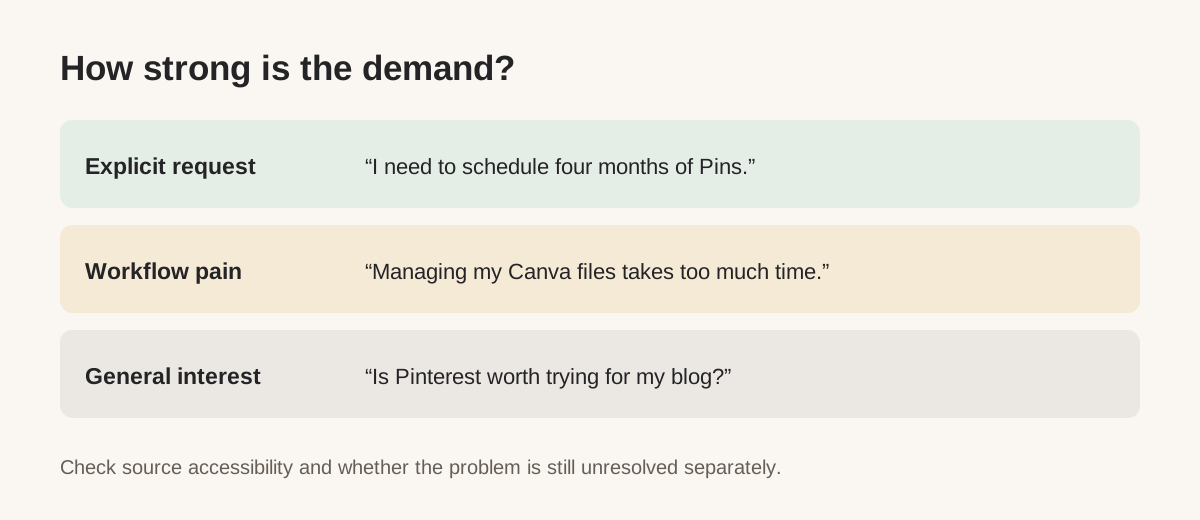
Use the person's words to classify the need; record your interpretation separately.
5. Review the Pinterest examples
Here is the compact output from the example research. Titles are shortened for scanning, while Reddit addresses remain fully visible. Dates refer to posts unless the row says otherwise.

The example output. The table below keeps the full links selectable and accessible.
| Short title | Full Reddit URL | User | Date |
|---|---|---|---|
| Bulk scheduling | https://www.reddit.com/r/Pinterest/comments/1uv7igt/best_tool_to_bulkschedule_4_months_of_pinterest/ | u/bohclaire | 2026-07-13 |
| Automation issues | https://www.reddit.com/r/Pinterestmarketing/comments/1ubk1is/automated_posts_hindering_account/ | u/shanewzR | 2026-06-21 |
| Canva workflow | https://www.reddit.com/r/Entrepreneurs/comments/1upfoep/workflow_for_pinterest/ | u/Sensitive_County_954 | 2026-07-07 |
| Scheduler concerns | https://www.reddit.com/r/Pinterest/comments/1uioa7t/scheduling_pins/ | u/Clued-Up-Club | 2026-06-29 |
| Auto-posting help | https://www.reddit.com/r/AppBusiness/comments/1uwd4x6/comment/oy2laor/ | u/Manwej | 2026-07-17, comment |
| Blog scheduling | https://www.reddit.com/r/BeforeyouPurchase/comments/1w0pl0p/is_pinterest_scheduling_worth_the_setup_effort/ | Unverified | 2026-08-28, search-index date |
The last entry was available in search results, but direct page retrieval failed. The Manwej comment was readable in its parent thread; direct retrieval of its comment permalink failed. Keep those limitations with the records when exporting them.
Bulk scheduling: a concrete tool requirement
The bulk-scheduling author wanted to prepare roughly 60 Pins for four months in one session. They considered paid tools but hoped to pay for one month and keep the future queue running afterward.
That is both a scheduling requirement and a price constraint. A researcher should investigate queue duration, batch import, and subscription expectations before assuming that any scheduler is a fit. The same request appeared in another community; it belongs to one candidate record.
Canva workflow: a problem before publishing
The Canva workflow author described time spent downloading ZIP files, selecting pages, and organizing content for Pinterest. Their bottleneck suggests investigating file handling and the handoff into scheduling. A faster publishing button alone might leave most of the work untouched.
Automation issues: an existing workflow needs attention
The automation-issues author already used Make.com and reported declining impressions after increasing posting volume. They later reiterated that manual daily posting was too much work.
This is evidence of a need for automation and troubleshooting. It does not establish why impressions fell. A useful next conversation would examine the workflow and reporting, without promising that switching tools will restore traffic.
The remaining examples are weaker signals: evaluating a current scheduler, asking how someone automated posting, or considering Pinterest as a traffic source. Preserve them as research candidates without treating them as confirmed buyers.
6. Save evidence behind the short table
The four-column table is convenient for reading and sharing. Keep a more detailed working record alongside it so the next person can understand why each candidate was included.
source_url:
parent_thread_url:
username:
request_date:
date_type: post | comment
checked_on:
need_summary:
evidence_excerpt:
current_tool:
demand_level: explicit_request | workflow_pain | general_interest
verification: source_read | parent_thread_read | search_only
resolution_status: unknown | unresolved | solution_found
next_research_step:
Use “unknown” when the source does not provide an answer. Do not turn missing information into a confident assumption. A tool recommendation in the replies is not proof that the requester adopted it.
Deduplicate by the request, author, and context. Store cross-posts as additional sources on the same record. Preserve distinct problems from the same author if they genuinely represent different research questions.
7. Give Codex a reusable research brief
Here is a prompt you can adapt:
Find Reddit users who expressed a need for Pinterest marketing
automation between June 15 and September 15, 2026, inclusive.

Search for scheduling, batch uploads, Canva-to-Pinterest workflows,
manual publishing, and requests for automation tools.

Open each source when possible. Check the actual request date,
username, problem, current tools, and whether a solution was found.
For comment requests, use the comment author, date, and permalink.
Separate explicit requests, workflow pain, and general interest.
Exclude vendor promotion and deduplicate cross-posted requests.
Label inaccessible sources and unknown fields accurately.

Return an English table:
Short Title | Full Reddit URL | User | Date

Display the complete URL as visible text. Keep titles short.
Add qualification notes and retrieval limitations below the table.
Save source evidence for each candidate. Do not invent usernames,
dates, budgets, quotes, or purchase intent.

Research and save results only. Do not post or send messages.
This brief defines both the discovery work and the acceptance criteria. Review a small first batch before expanding. If the results are mostly vendors, tighten the demand criteria. If they are mostly general questions, search for specific tasks and expressions of frustration.
8. Where Cloudl fits
Codex can organize the research, compare sources, and format results using the tools available in your environment. Cloudl becomes relevant when the workflow needs supported browser operations through your connected Chrome session.
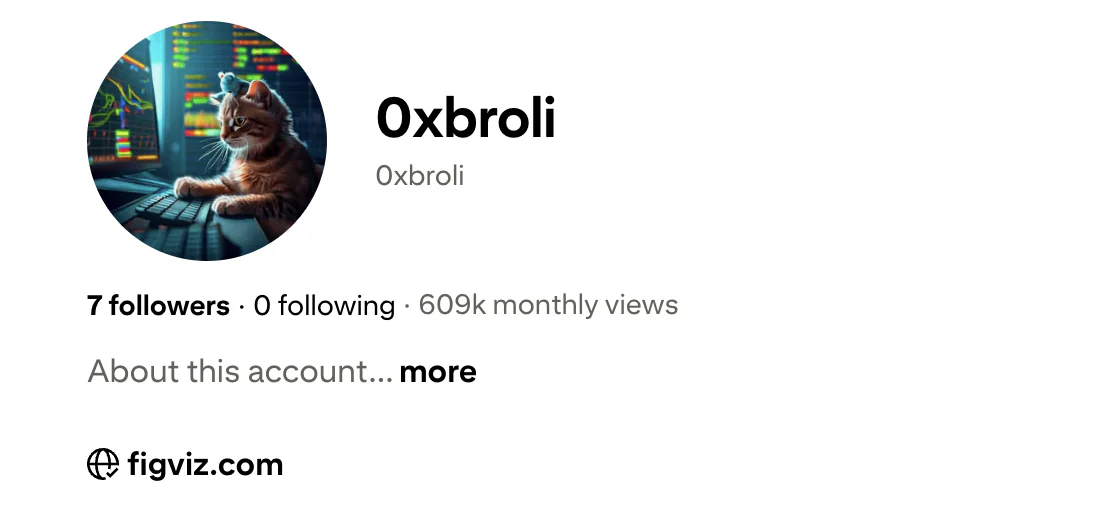
Detailed Cloudl configuration is in Pinterest Marketing Automation: How I Reached 609K Monthly Views. That guide covers source installation, the Browser Bridge extension, connection checks, Chrome profiles, and a Pinterest publishing example.
Start with the installation section, then run the documented connection check:
cloudl doctor
cloudl --help
Inspect the commands available in your installed version before building browser steps. This article does not assume a particular Reddit adapter or provide an unverified Reddit CLI command. Search and reading can use the research tools already available to Codex.
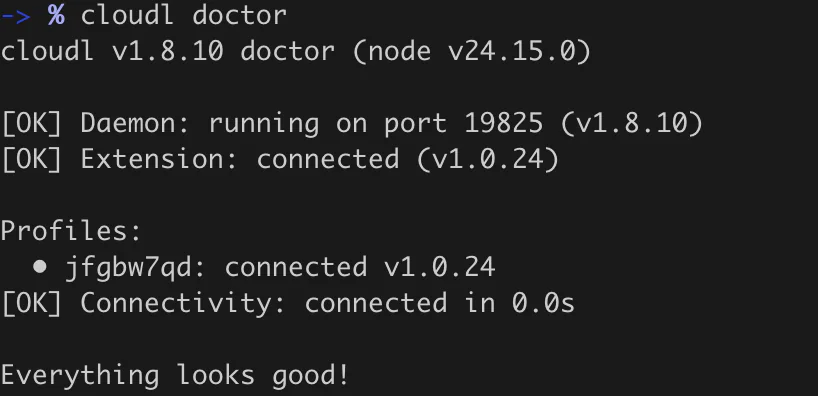
Connection output from the companion setup guide. Your versions and profile identifiers may differ.
A healthy connection establishes that the bridge is available. It does not prove that a particular Reddit page is accessible. Report login, access, or retrieval failures as limitations in the research record.
Once you have validated a Pinterest publishing task separately, the same setup can help demonstrate a workflow using your own prepared content. Research findings tell you which task deserves a demo; they do not automatically authorize an action on someone else's account.
9. Four more ways to use this workflow
Find customers evaluating alternatives
Replace generic automation terms with a tool name and phrases such as “switching,” “too expensive,” or “missing feature.” Capture the current tool, the desired change, and any switching obstacle.
The deliverable is a problem-specific comparison brief. For example, a user who needs longer queues needs an answer about scheduling horizons and ongoing costs. Validate your own product's fit before suggesting it.
Discover an agency service opportunity
Search for recurring work across multiple accounts: client approvals, board assignment, asset organization, or reporting. Look for a clearly described process that someone struggles to maintain.
Turn recurring evidence into a small service hypothesis, such as organizing a client's Canva-to-Pinterest handoff. Define the inputs, the deliverable, and the review step. Test the hypothesis in conversations before building an elaborate package around it.
Prioritize product features
Group verified requests by task rather than keyword. Several conversations may point to asset management even when they mention different schedulers.
Keep the sample size visible. Three relevant posts can justify a few interviews or a prototype; they do not establish market size. Record evidence against the idea too, including users who solved the problem with a simple existing feature.
Build a content research queue
Convert repeated questions into tutorials: how to prepare an image manifest, organize Canva exports, review scheduled Pins, or investigate an uncertain publishing result.
Keep each article tied to one task. Use your own demonstrations and explain the assumptions. The research can inform your editorial calendar without turning every discovered conversation into a sales interaction.
10. Repeat the process without repeating the work
Save queries, candidate IDs, source dates, and the last completed review date. On the next run, search the new period with a small overlap, then deduplicate against existing records. The overlap helps catch sources that appeared late in search results.
An example weekly routine is to gather new candidates, review the originals, update resolution status, and export only the useful changes. Weekly is a suggested cadence, not a requirement or a claim about how quickly search indexes update.
Track how many candidates remain after verification, how many are duplicates, and which problem categories recur. If results become repetitive, change the search vocabulary before increasing volume. A shorter list with inspectable evidence is easier to act on.
Start with one narrow research question
Choose a task, set a date window, and collect a small batch of sources. Verify the people and dates, keep full links visible, and separate what the sources say from your interpretation.
For the browser setup behind a practical Pinterest workflow, continue with the Cloudl configuration guide. Then use your research to decide which real task to improve first.
Frequently asked questions
Is every person in the table a qualified sales lead?
No. They expressed varying levels of need or interest. Budget, current availability, and willingness to consider an offer require further validation.
Should I include comments on older posts?
Yes, when the comment itself contains a relevant request inside your date window. Record the comment's author, date, and direct link.
Why display the full Reddit URL?
It makes source review, copying, and exporting straightforward. Shorten the display title while preserving the source address.
What if the original page will not load?
Mark the record as search-only or otherwise unverified. Keep any readable parent-thread evidence, and do not fill missing fields by guessing.
Can I reuse the workflow outside Pinterest?
Yes. Replace the platform, audience, and problem phrases. The sequence of searching, verifying, qualifying, and saving evidence stays the same.
Where is the detailed Cloudl configuration?
The companion article, Pinterest Marketing Automation: How I Reached 609K Monthly Views, at /blogs/pinterest-growth-gbdcr explains the CLI, extension, connection check, and profile setup.